Table of Contents
Whether you're a real estate agent reviewing virtual property walk-throughs, a game designer inspecting environmental skybox wraps, or a photography enthusiast enjoying wide-angle landscapes, opening 360° images locally has always been a chore.
Typically, this requires launching heavy 3D editors or uploading your private files to third-party web portals, which raises major privacy concerns and wastes valuable time. The 360° Panorama Image Viewer extension solves this by creating an interactive 3D view directly inside your browser that runs 100% offline.
How It Works: Immersive 3D Space
When you drag and drop a panorama photo into the viewer, the tool instantly wraps the flat image into a virtual 3D sphere. By placing your viewpoint right in the center, it recreates the environment exactly as if you were standing there in real life.
As you drag or swipe, the perspective shifts naturally:
- Wraps flat panorama images into a seamless 360-degree sphere.
- Places you at the center of the sphere to look in any direction.
- Provides smooth, real-time panning as you click and drag your mouse or swipe your screen.
- Gives a natural sense of depth and perspective with zero visual lag.
This lets you explore real estate properties, scenic viewpoints, or digital backgrounds with natural eye-level movements.
Create Unique Views: "Little Planet" Effect
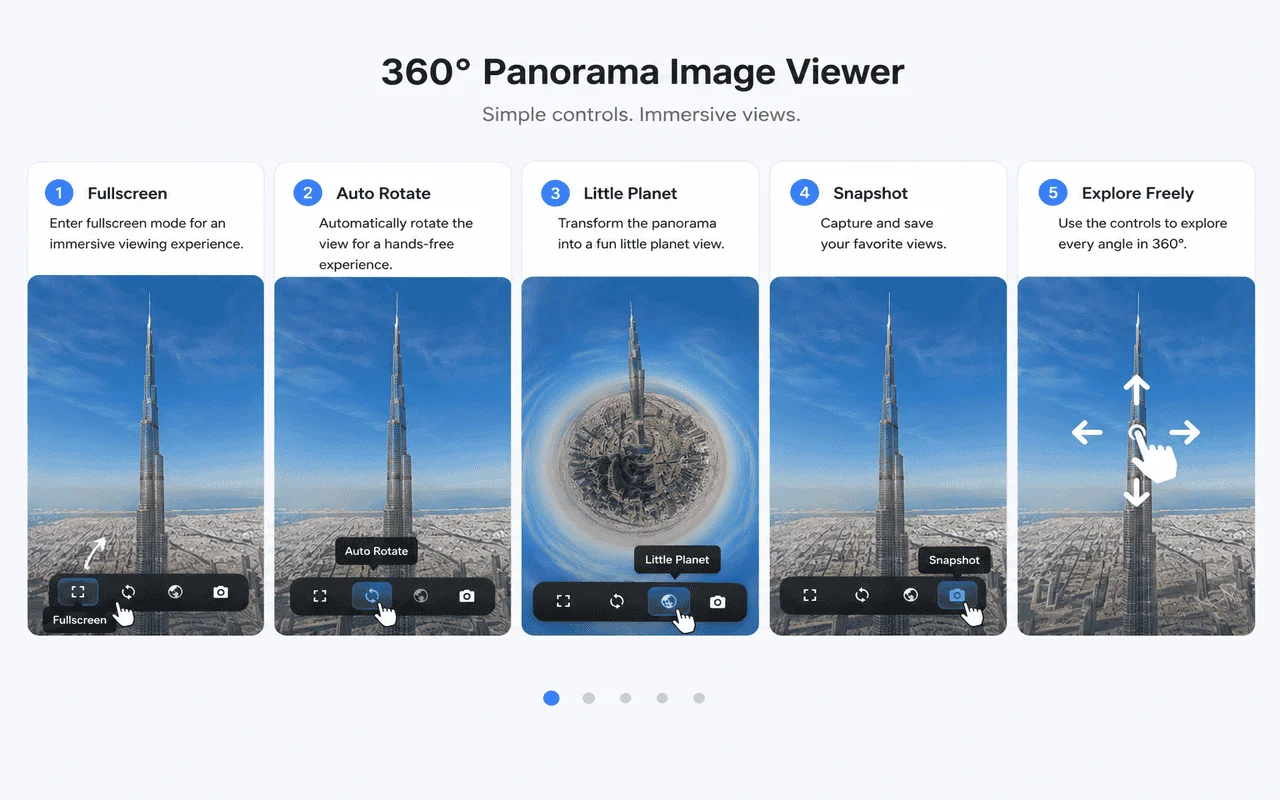
One of the most exciting features of the extension is the Little Planet view. This mode curves your panoramic photo into a tiny, floating globe.
By bending the horizon around a single center point, you can turn flat street views, city skylines, or mountain ranges into spherical mini-worlds. It is perfect for creating artistic, shareable snapshots from your standard 360-degree photos.
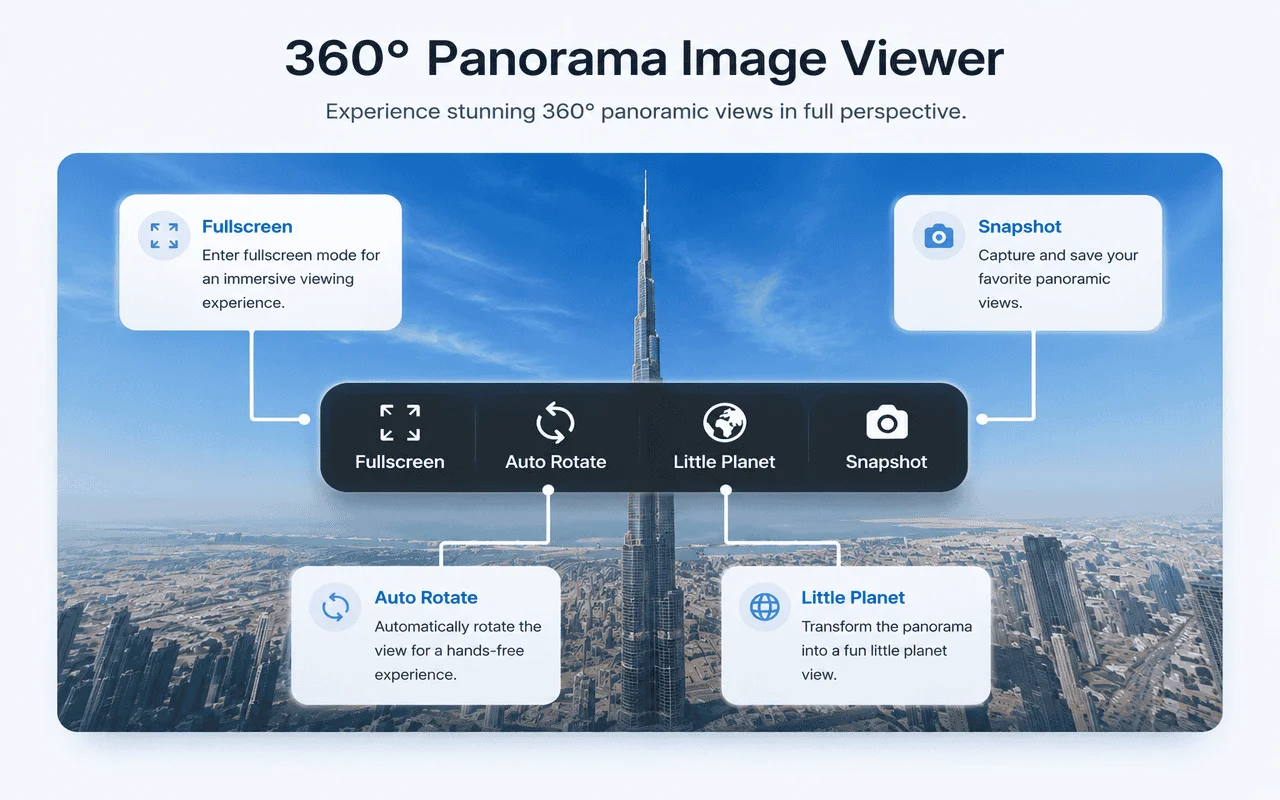
Feature Grid Breakdown
Format Versatility
Fully supports high-resolution equirectangular files in standard formats: JPG, PNG, and WebP.
Fluid 60 FPS Panning
Hardware-accelerated 3D rendering maps inputs to eye-level panning without stuttering.
Stereographic Projections
Toggle Little Planet view modes to create unique mini-globe warped views instantly.
Snapshots Extraction
Download the exact viewport angle as a standard high-quality snapshot image file with a single click.
Immersive Feature Showcase
Explore actual screenshots showing our immersive 3D views, panoramic layouts, and custom view angle projections.
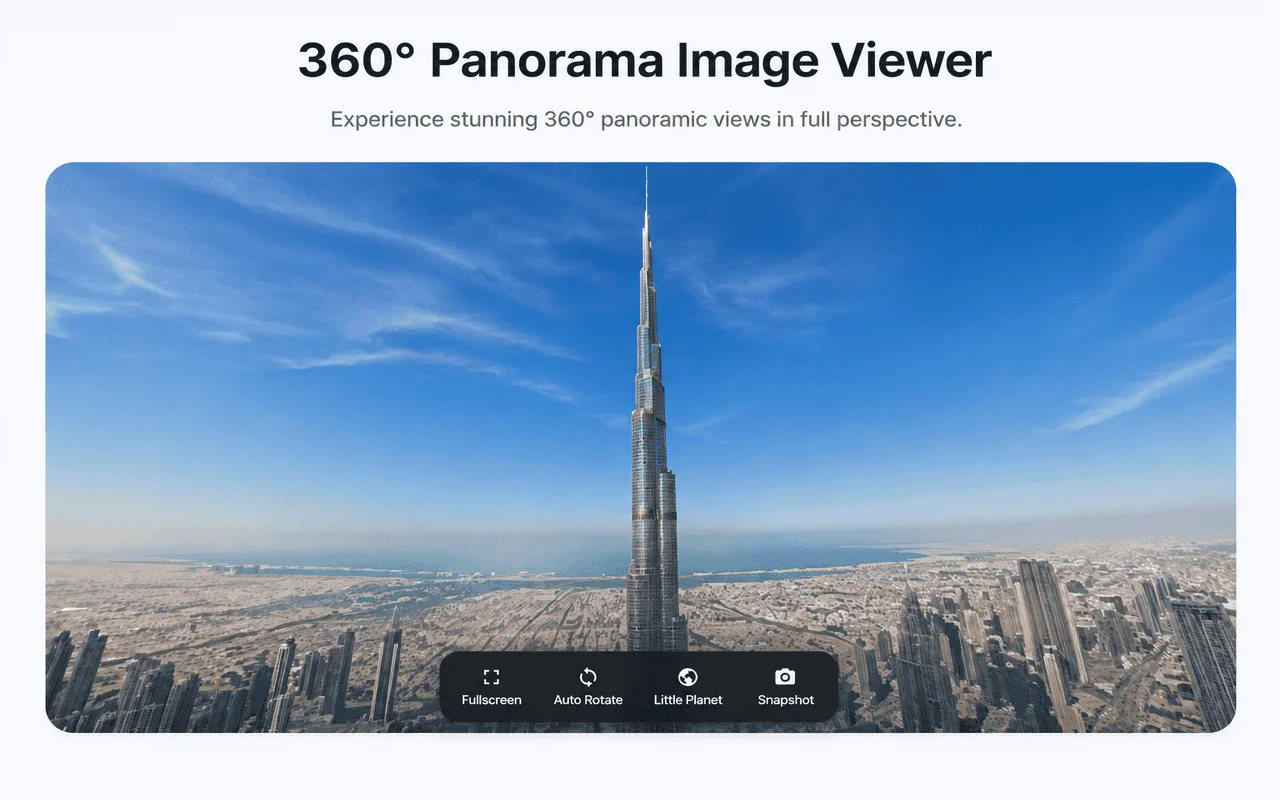
Immersive 3D Space
Panoramic photos mapped onto a 3D sphere with smooth orbital dragging controls.
"Little Planet" View
Warp coordinates with a single click to create custom floating mini-globes.
Flat Panoramic Mode
Scroll-linked wide angles that adapt smoothly to your browser size.
Comparison Matrix: 360 Viewer vs Web Portals
| Metric | 360° Panorama Viewer | Online Hosting Sites | Desktop 3D Editors |
|---|---|---|---|
| Offline Support | Yes (100% Offline) | No (requires internet) | Yes |
| File Upload Required | No (reads local disk) | Yes (uploads to server) | No |
| Frame Rate (Performance) | 60 FPS (Hardware Accel) | Varies (depends on load) | High (bloated program) |
| Subscription Cost | Free | Free tier / Premium plans | Expensive software license |
| Privacy Guarantee | 100% Secure (No logs) | Low (cloud storage tracking) | High |
Frequently Asked Questions (FAQ)
Which panoramic image file formats does the extension support?
The extension supports all standard high-resolution image formats, including JPEG, PNG, and WebP panoramic equirectangular files.
How does the 'Little Planet' stereographic projection work?
It curved flat coordinates into a tiny floating globe model view, curving the horizon around a central focal point. You can instantly toggle this artistic layout and download screenshots.
Can I use this extension to view real estate tour panoramas offline?
Yes, the extension operates 100% offline. You can drag and drop property panorama files directly from your computer to explore them in 3D without loading any external web page or portal.

Explore Immersive 360° Panoramic Views
Add the extension to Chrome now to preview, explore, and snapshot local panoramas in 3D.
Add to Chrome | It's Free